
Bring an application from GitHub
Connect GitHub, choose the repository and see the analysis.
Step 1
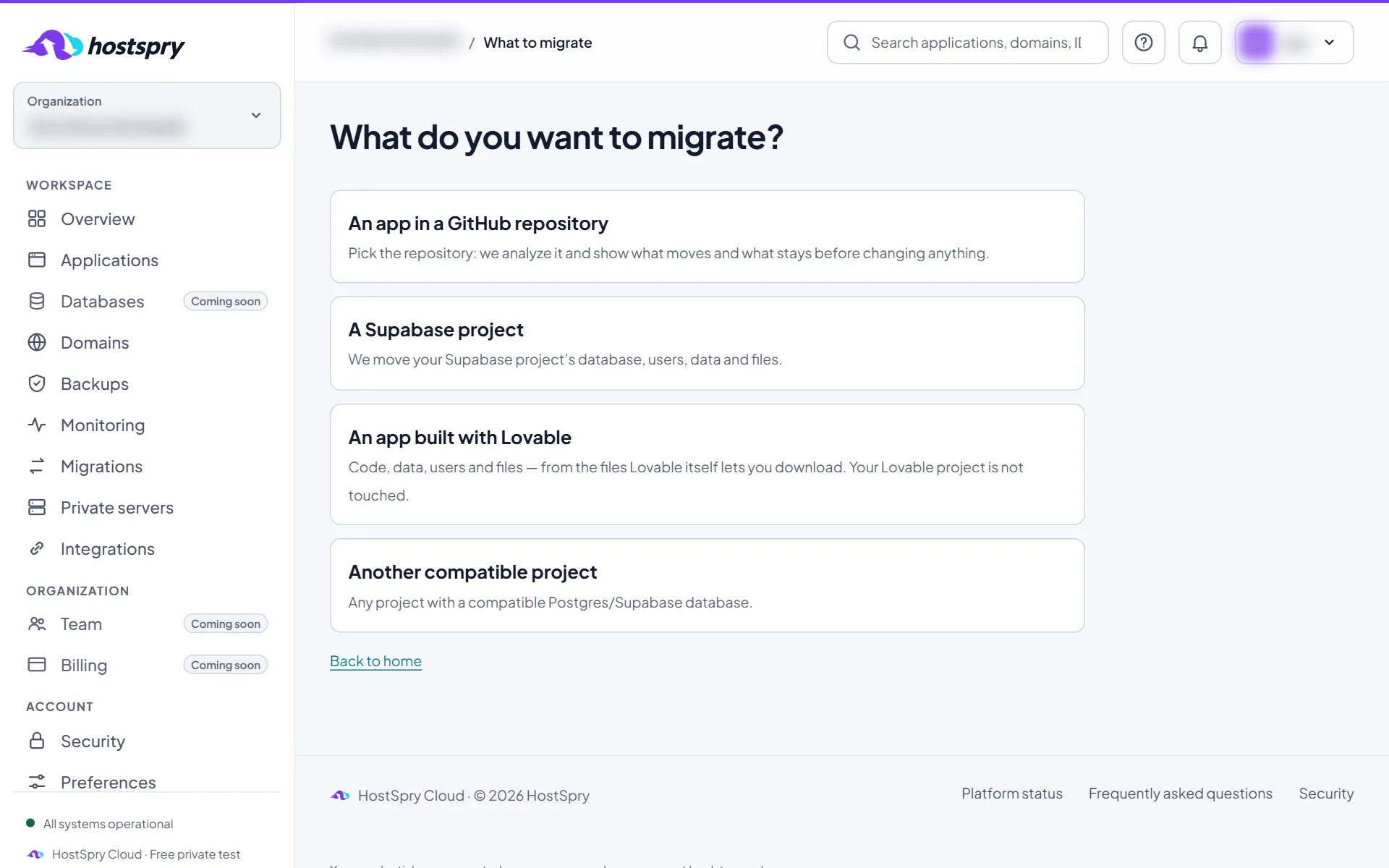
New application
Click New application and choose An app in a GitHub repository.
Step 2
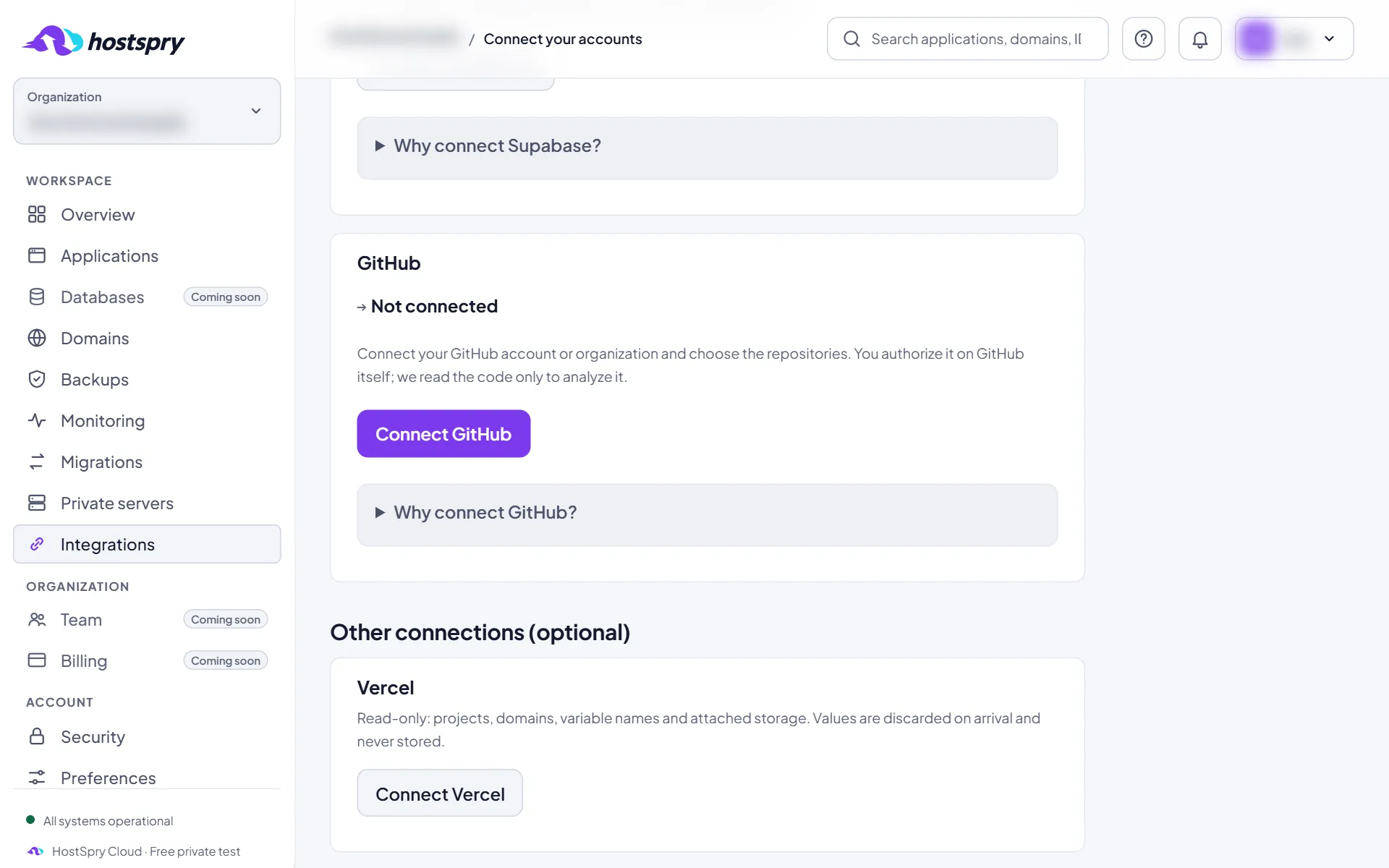
Connect GitHub
Click Connect GitHub. On GitHub, install the HostSpry app and choose the repositories it may read. Then you come back here.
Step 3
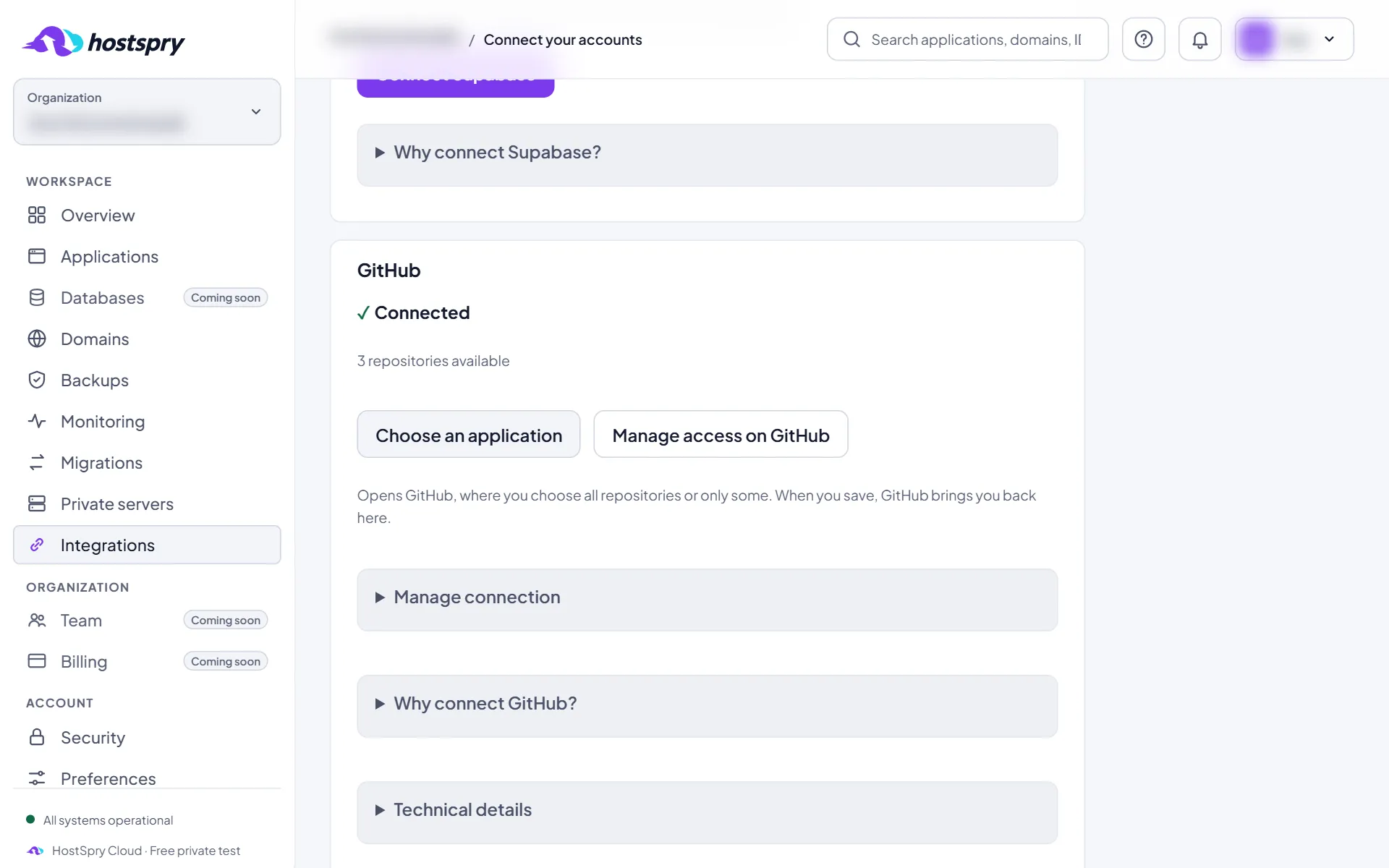
Choose the application
With GitHub connected, click Choose an application.
Step 4
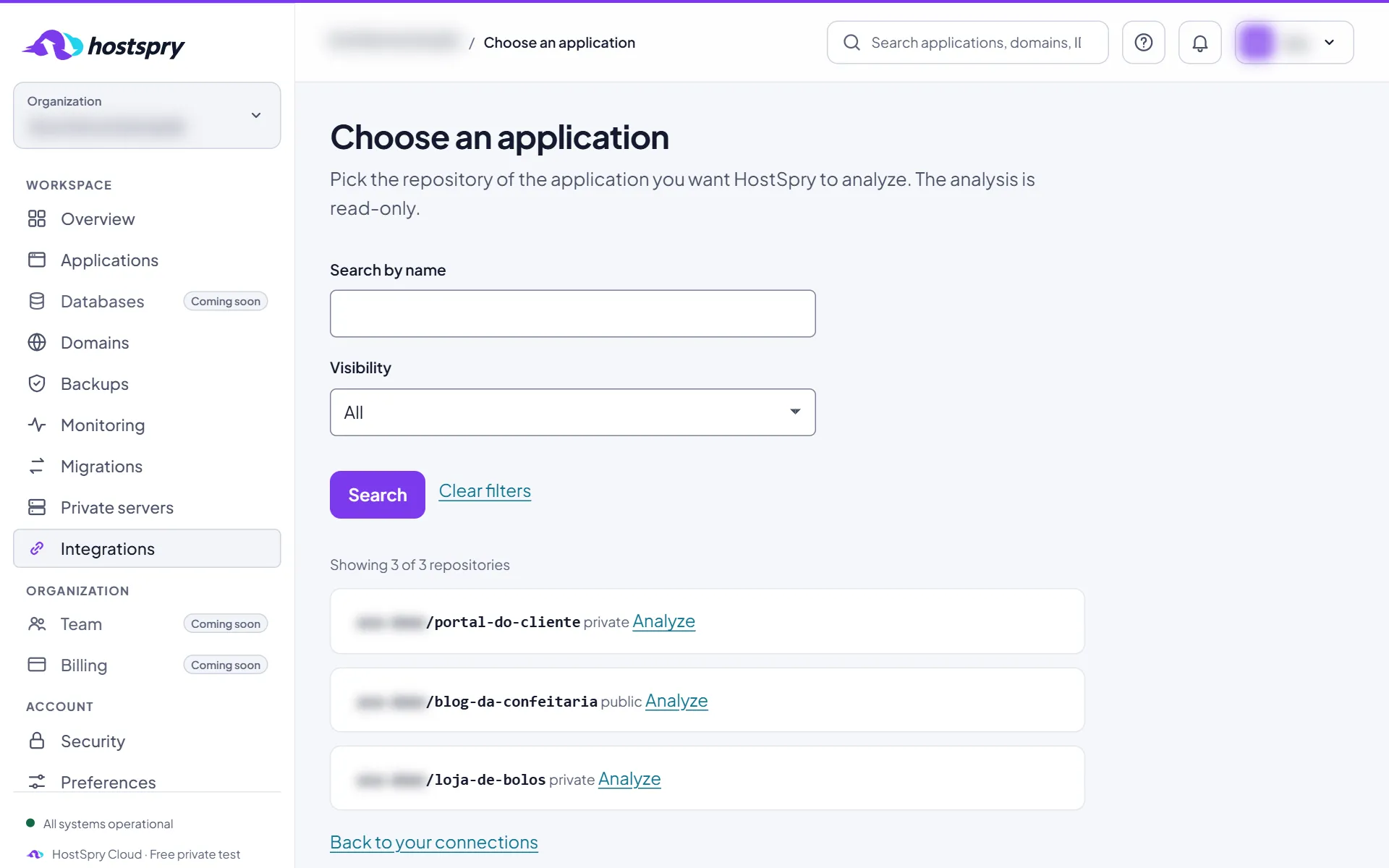
Analyze the repository
Find the repository — there is search and filters — and click Analyze.
Step 5
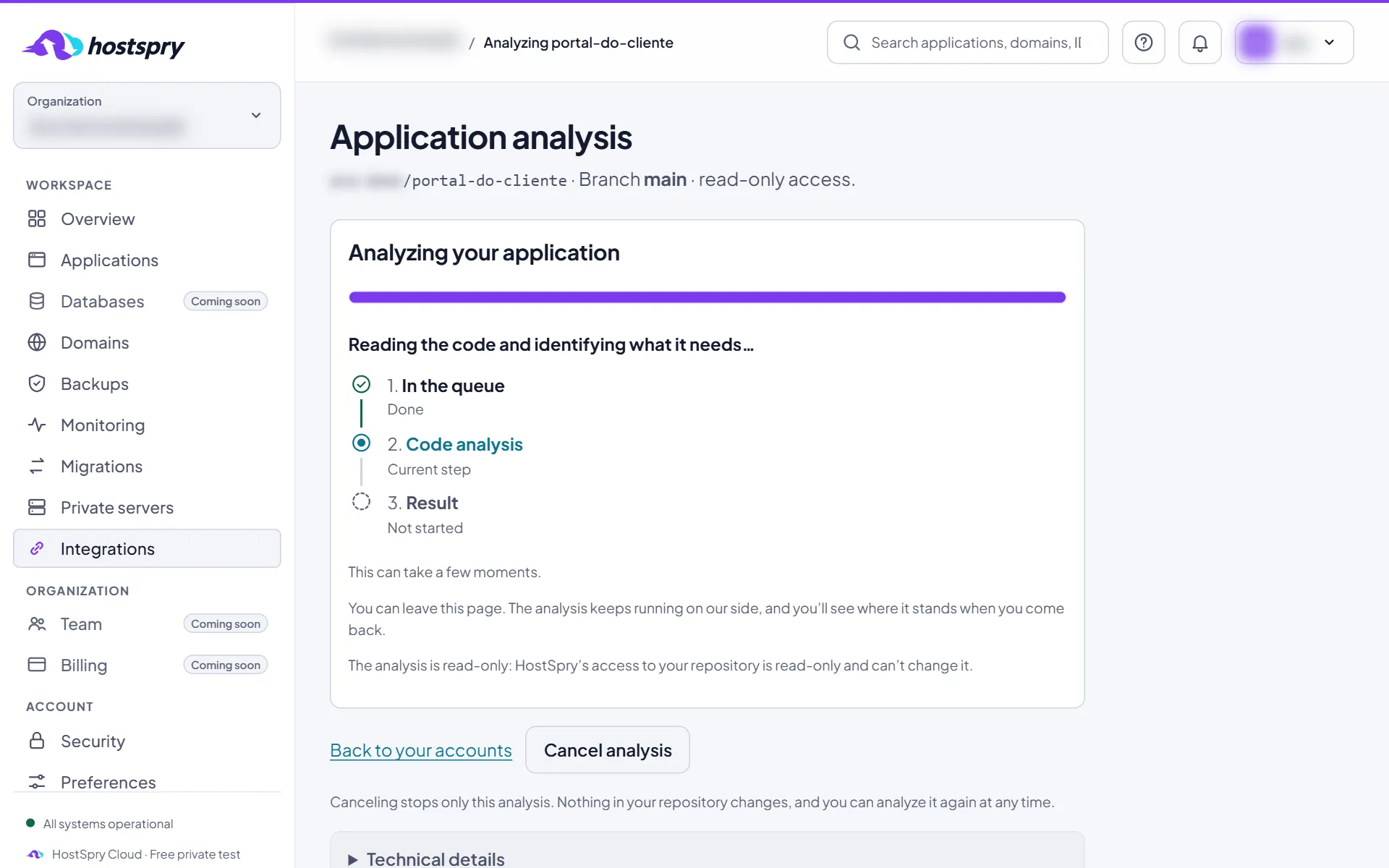
The analysis
HostSpry reads the code to learn what the app uses and needs. The page refreshes by itself and you can leave and come back later.
Step 6
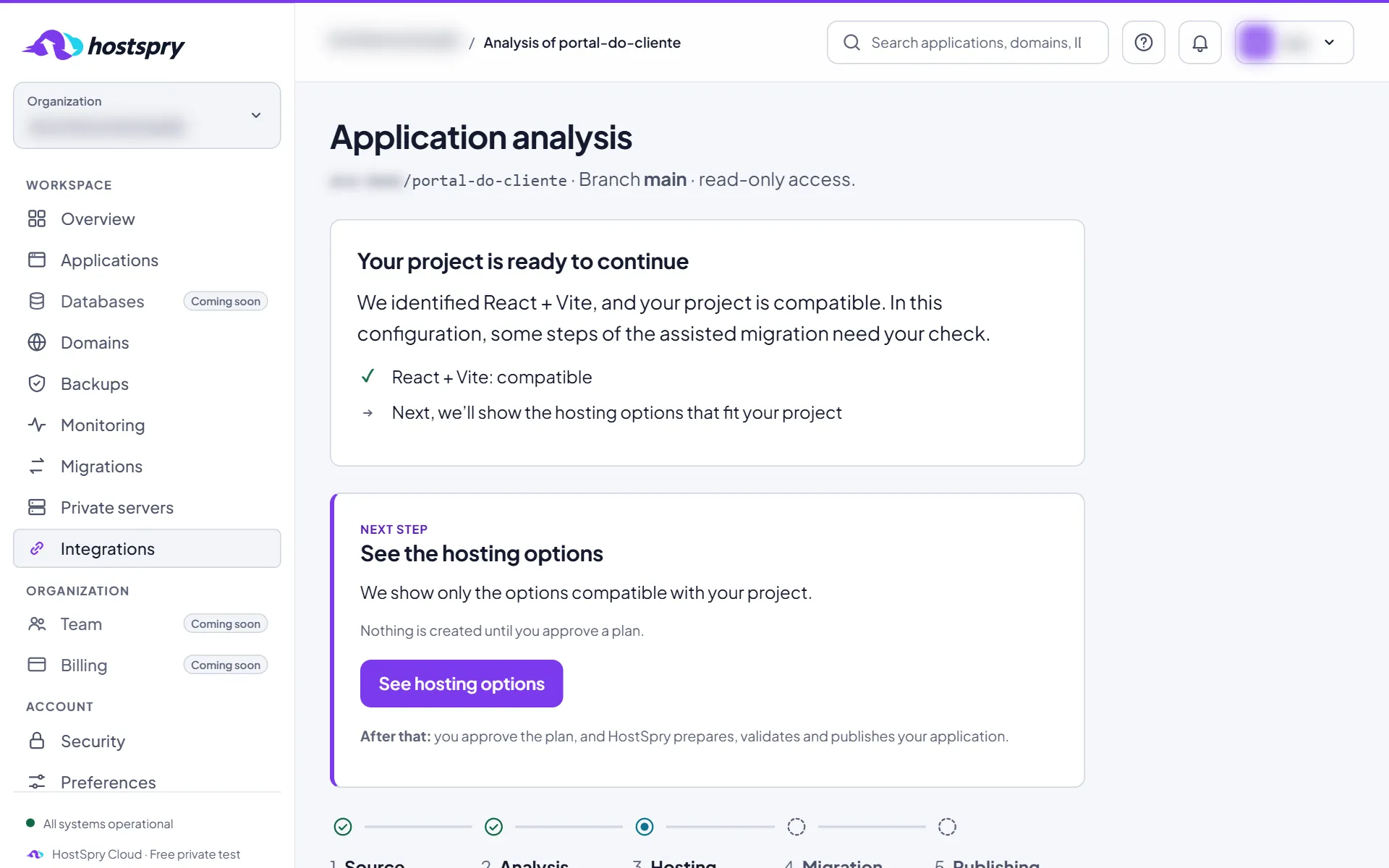
The result
The result shows what we found and the next step. When the app is ready, click See hosting options.
The screens use a demo account; anything that would identify someone is blurred.
Next step
Want to try it with your own app? During the private beta, access is by request.