
End a migration or remove an application
Take out of HostSpry what you no longer use, without touching your original project.
Step 1
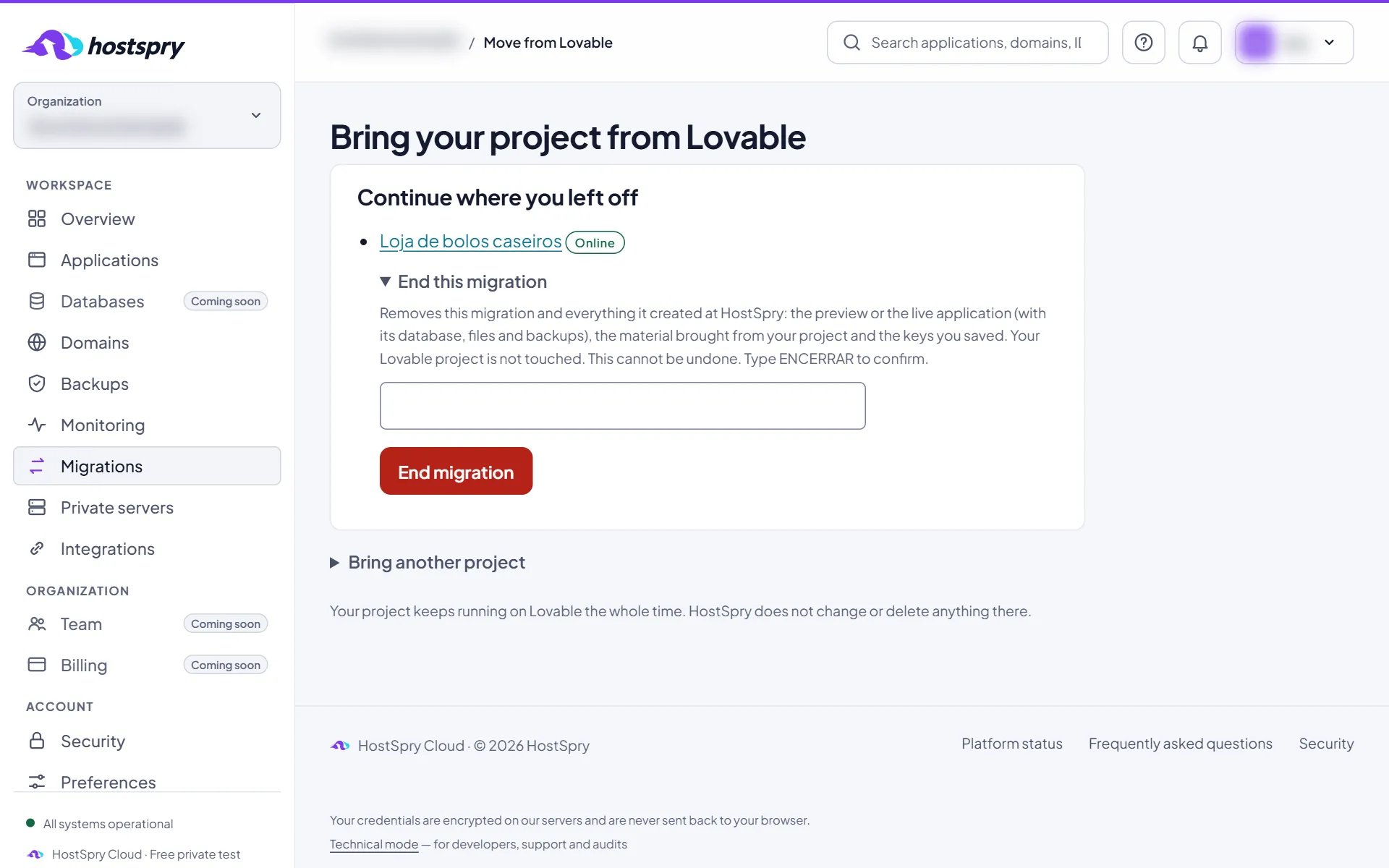
End a Lovable migration
In Migrations, open End this migration, type ENCERRAR and confirm. Everything the migration created at HostSpry is removed; your Lovable project is not touched.
Step 2
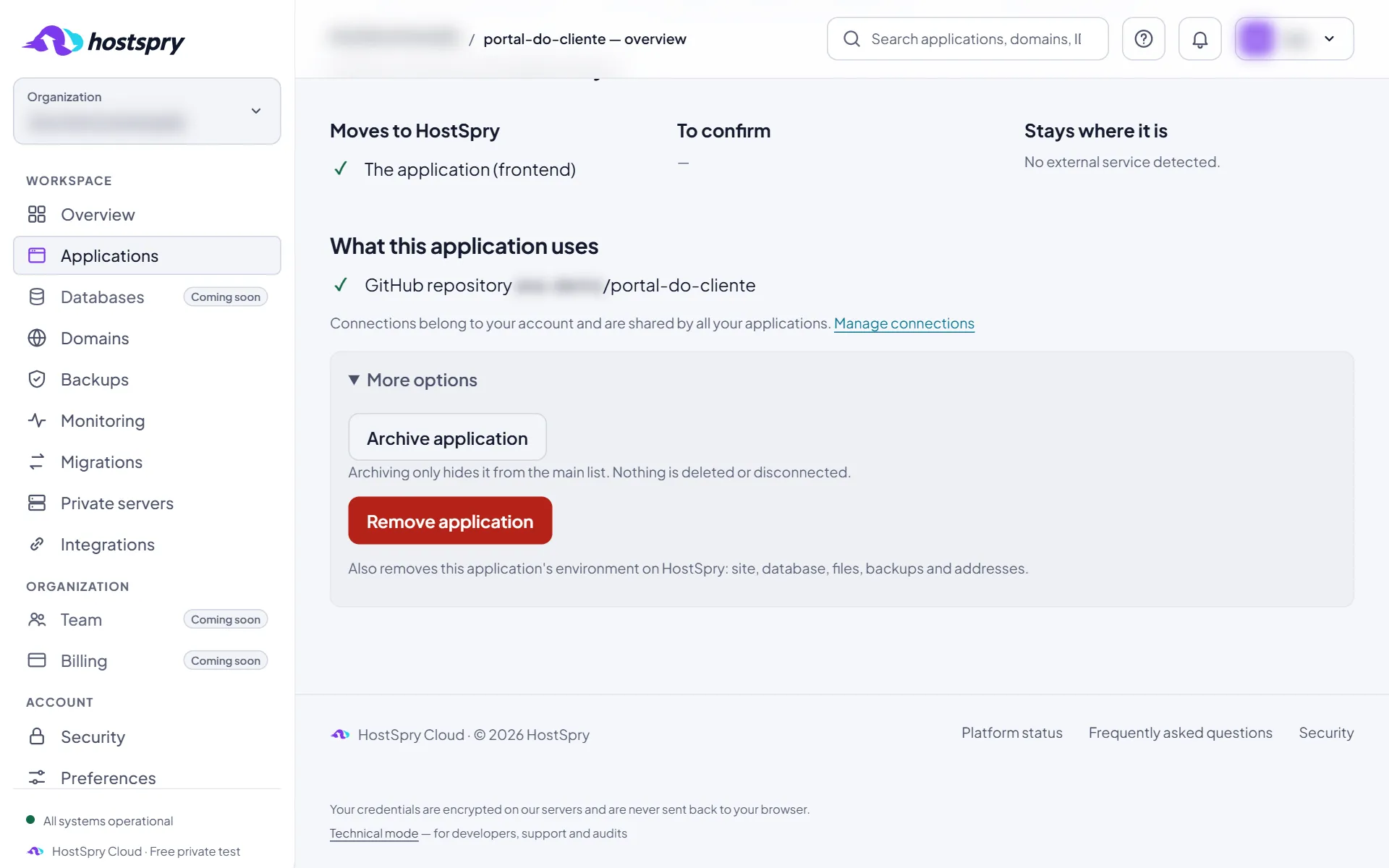
Remove an application
On the application page, open More options and click Remove application.
Step 3
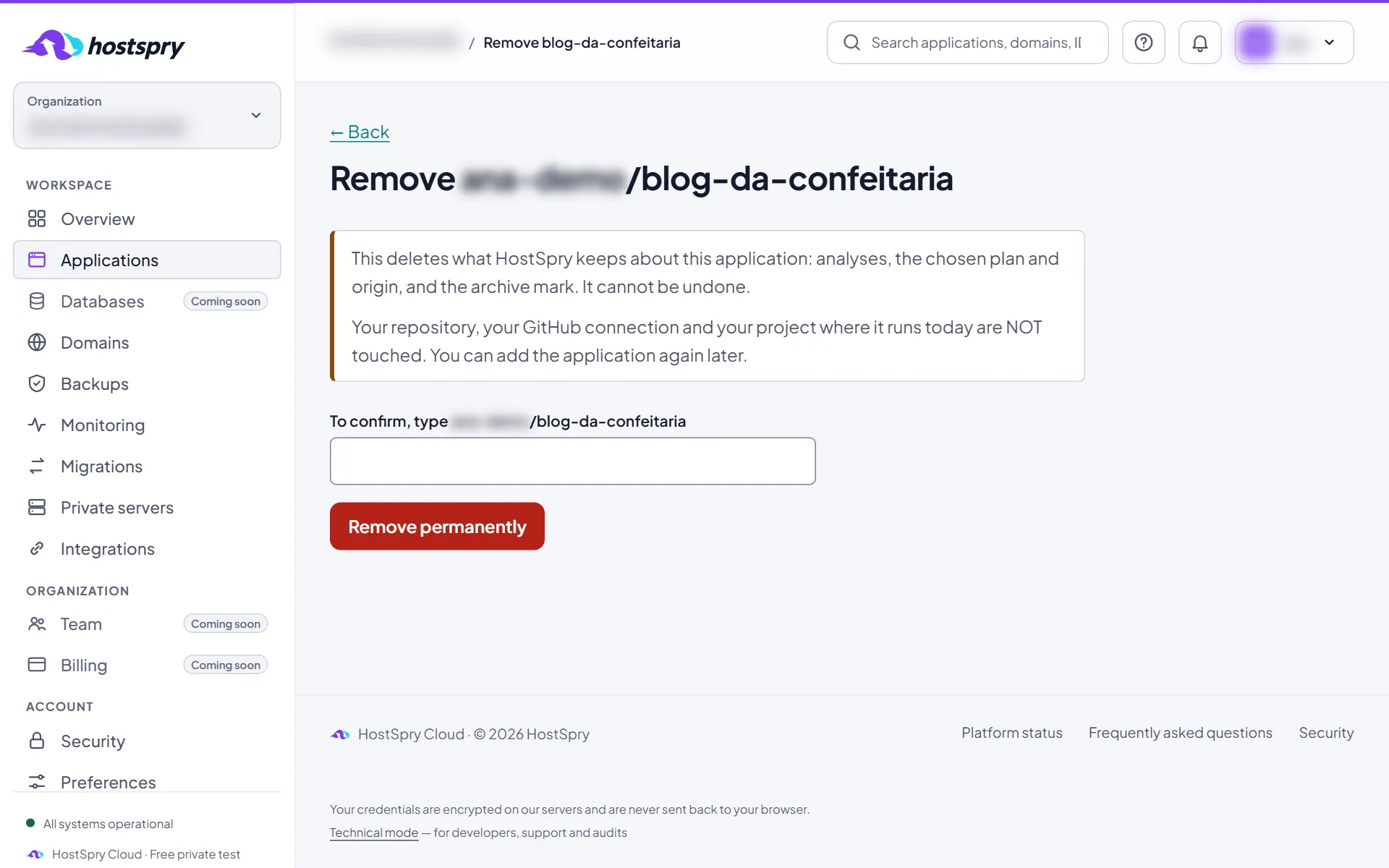
Confirm
The screen tells what leaves and what stays. Type the application name and click Remove permanently. If it has an environment at HostSpry, it goes too: site, database, files, backups and addresses.
The screens use a demo account; anything that would identify someone is blurred.
Next step
Want to try it with your own app? During the private beta, access is by request.