
Migrate a project from Lovable
From the project file to the app online, with a private preview before publishing.
Step 1
Start the migration
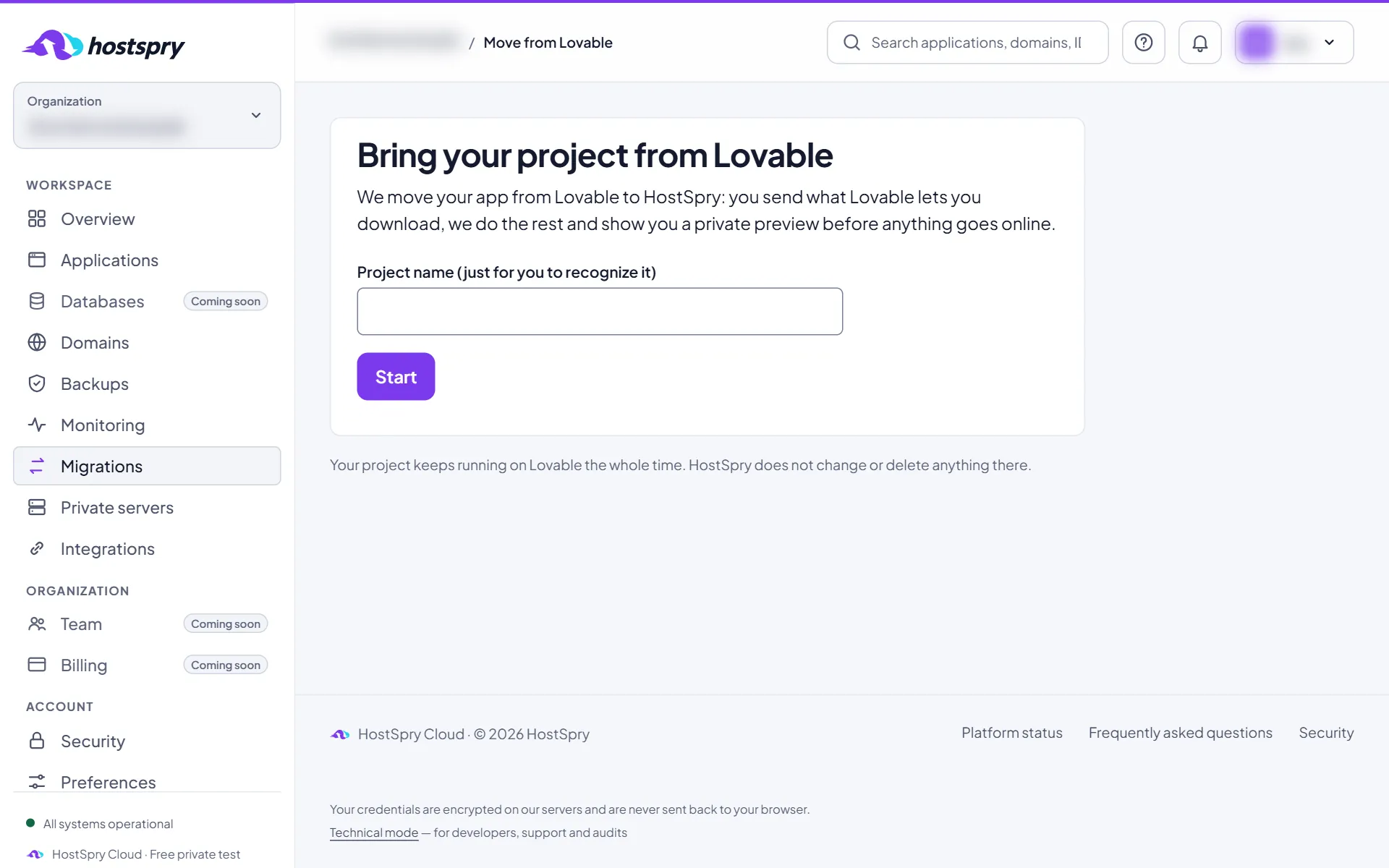
In Migrations, give the project a name — it is only for you to recognize — and click Start.
Step 2
Send the code
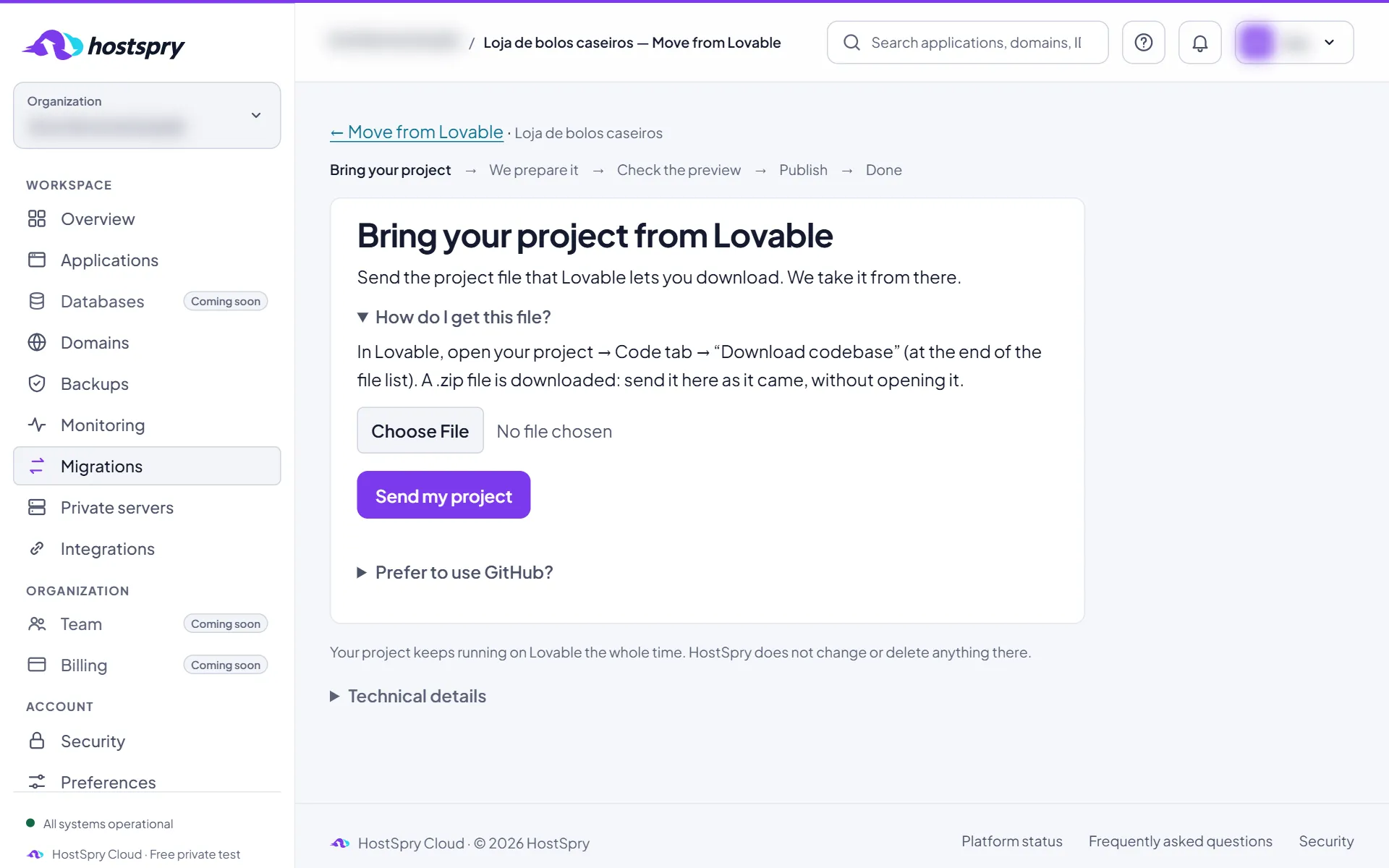
On Lovable, open the project and go to More → Settings → Git: at the bottom, download the source code (the guide “Download your project from Lovable” shows the screens). Send the .zip file as it came, without opening it, with Send my project.
Step 3
Or use GitHub
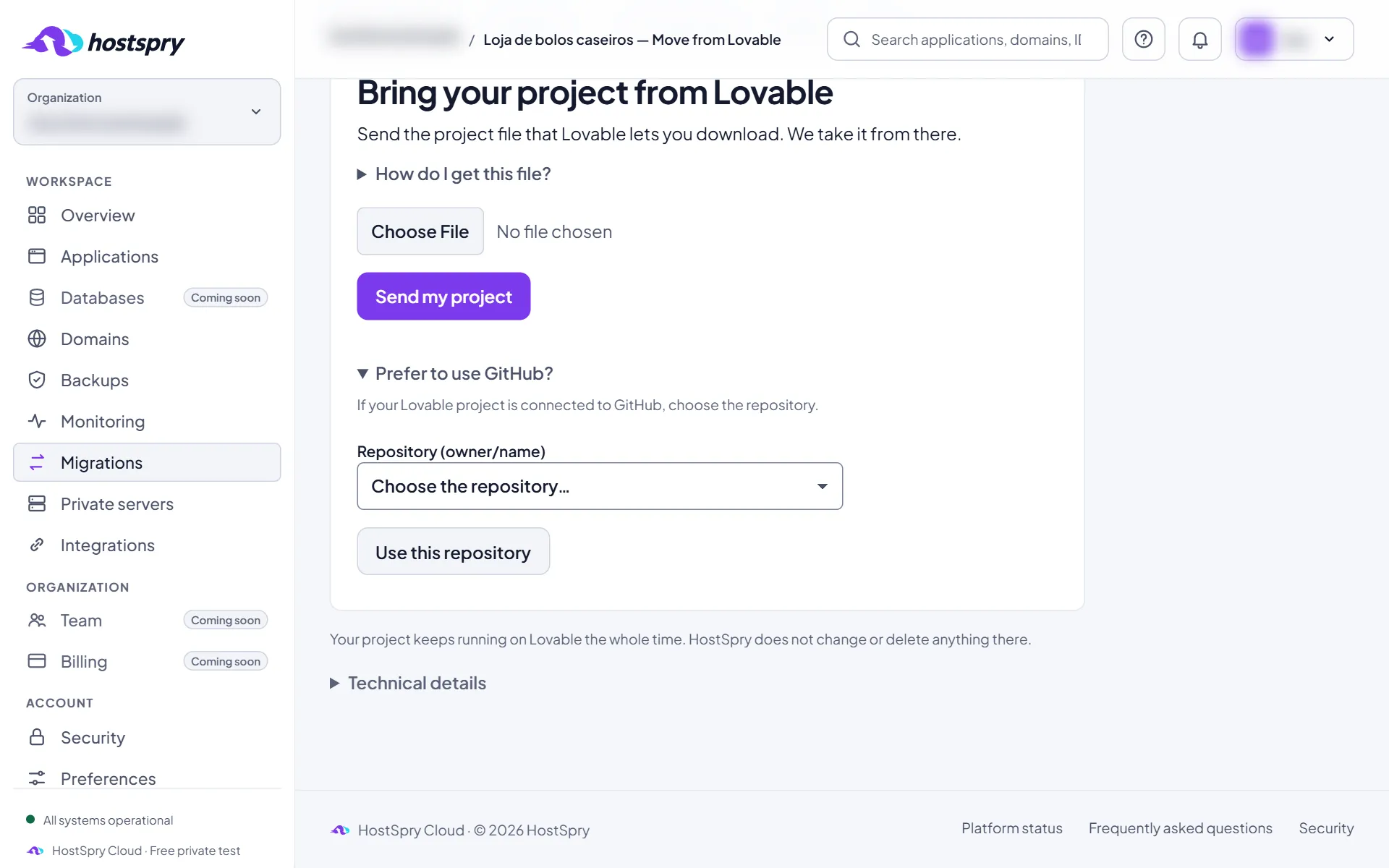
If the project is connected to GitHub, open “Prefer to use GitHub?”, choose the repository and click Use this repository.
Step 4
HostSpry prepares it
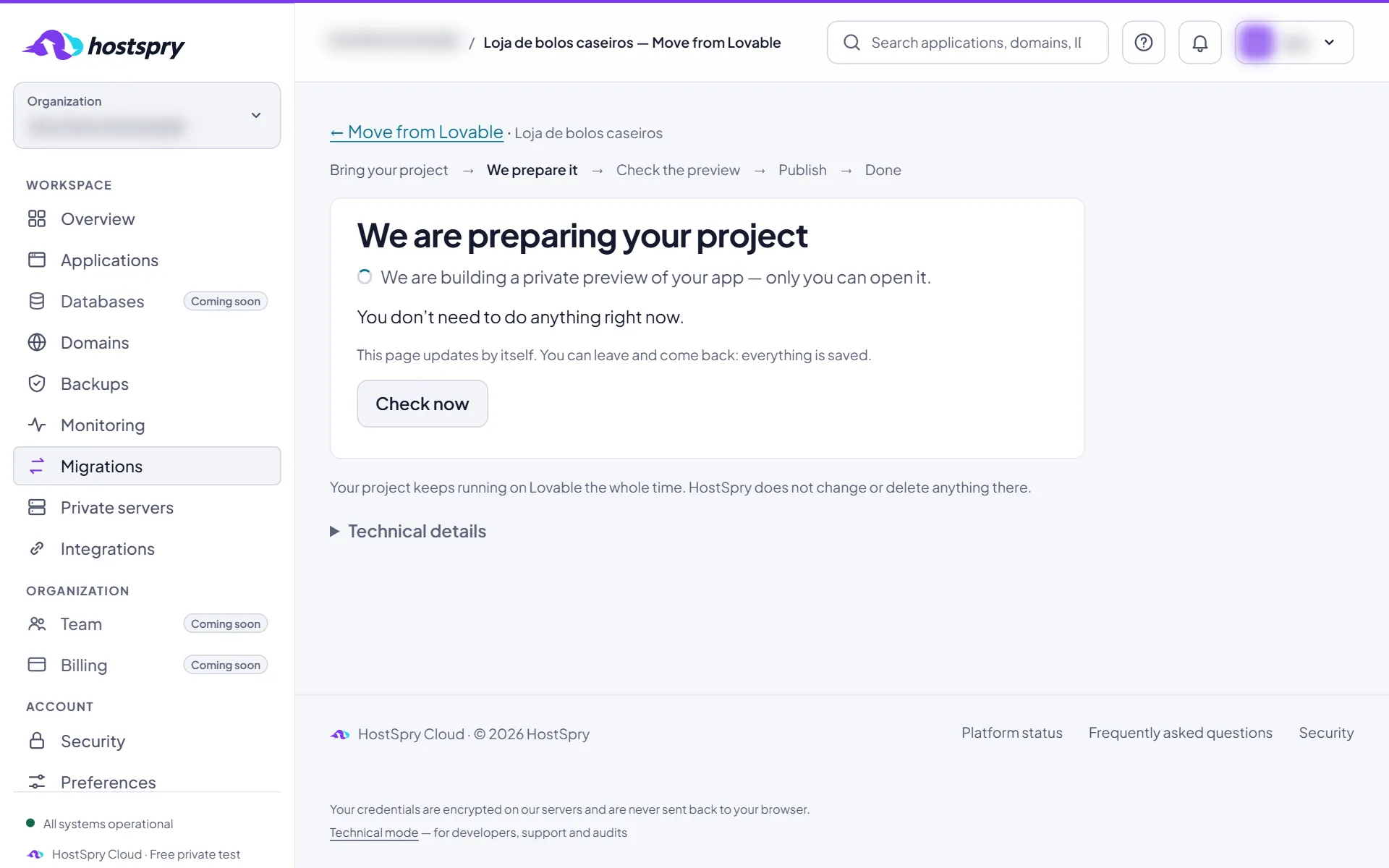
We read the project and build a private preview. The page refreshes by itself and you can leave: everything is saved.
Step 5
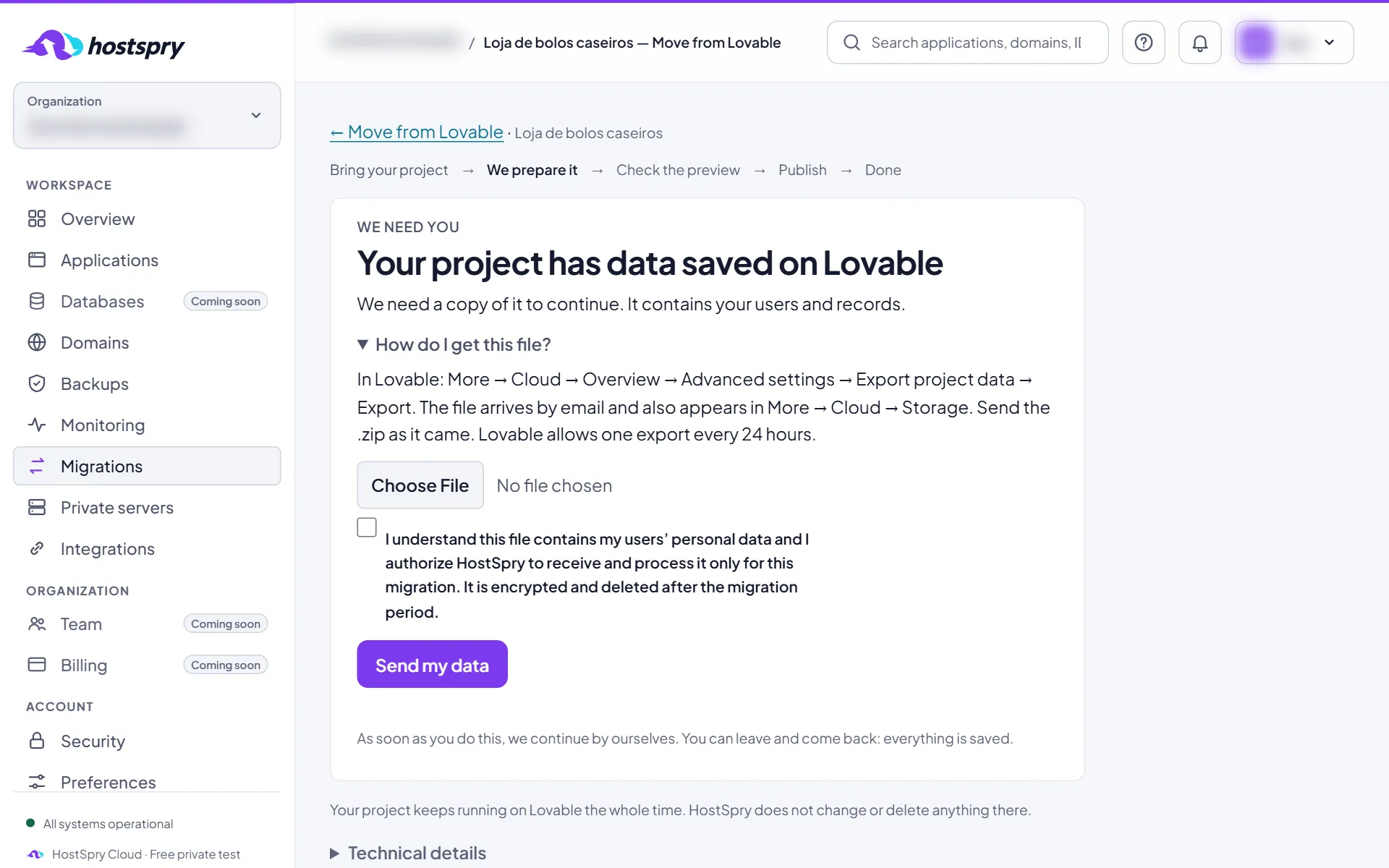
If the app has saved data
When the app keeps users and records on Lovable, we need a copy. Export the data on Lovable — the path is under “How do I get this file?” — and click Send my data.
Step 6
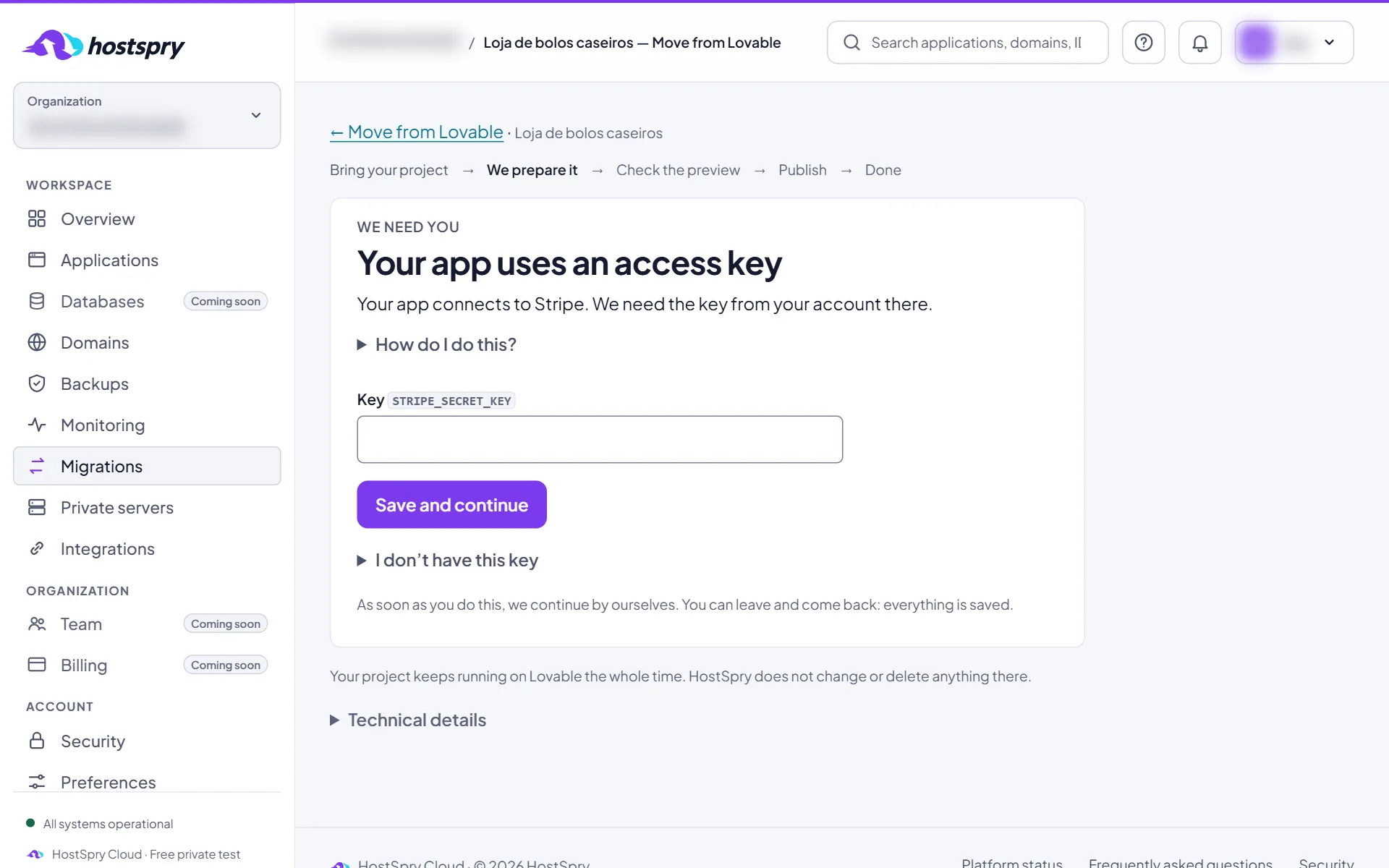
Service keys
If the app uses an outside service, such as payments, email or AI, paste your account key for it and click Save and continue. The key goes to the vault and is never shown again. Without it, you can Continue without this key.
Step 7
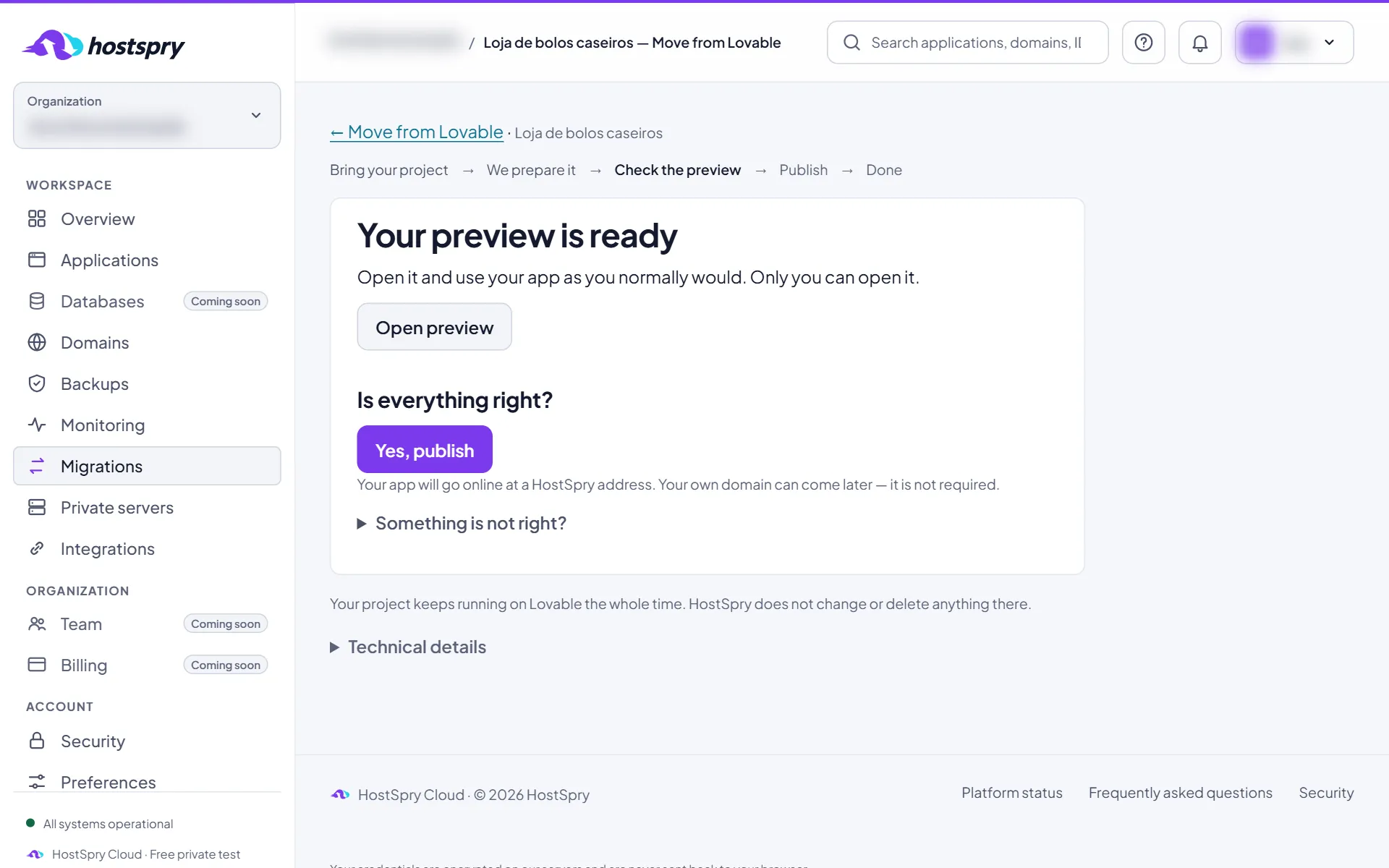
Check the preview
Click Open preview and use the app as usual. Only you can open it. If everything is right, click Yes, publish.
Step 8
Online
The app is published at a HostSpry address, and the health panel shows the measured availability and response time. For a named address or your own domain, click Use your own address.
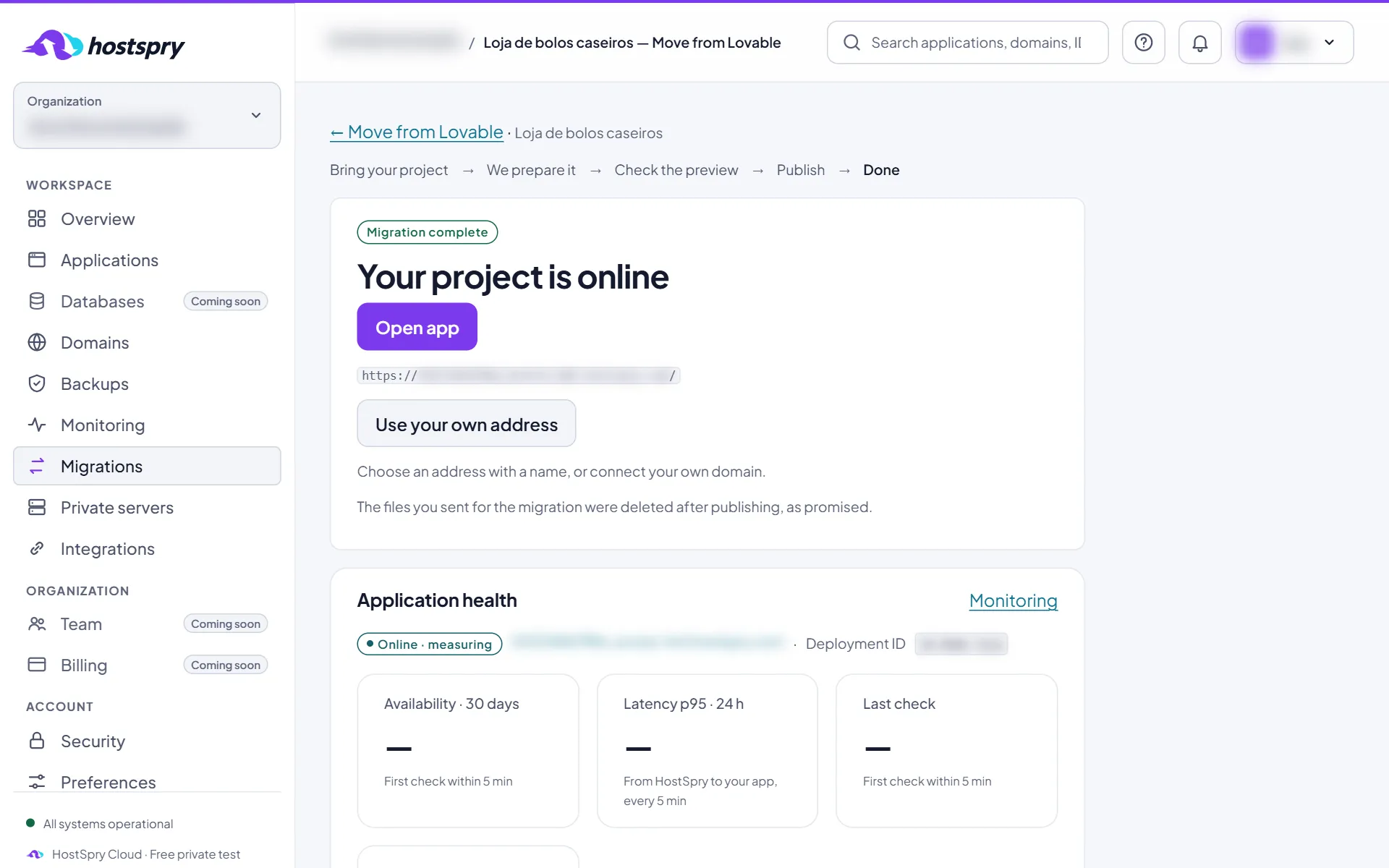
The screens use a demo account; anything that would identify someone is blurred.
Next step
Want to try it with your own app? During the private beta, access is by request.