
Publish the application
Build the plan, authorize it and follow each step until the preview is online.
Step 1
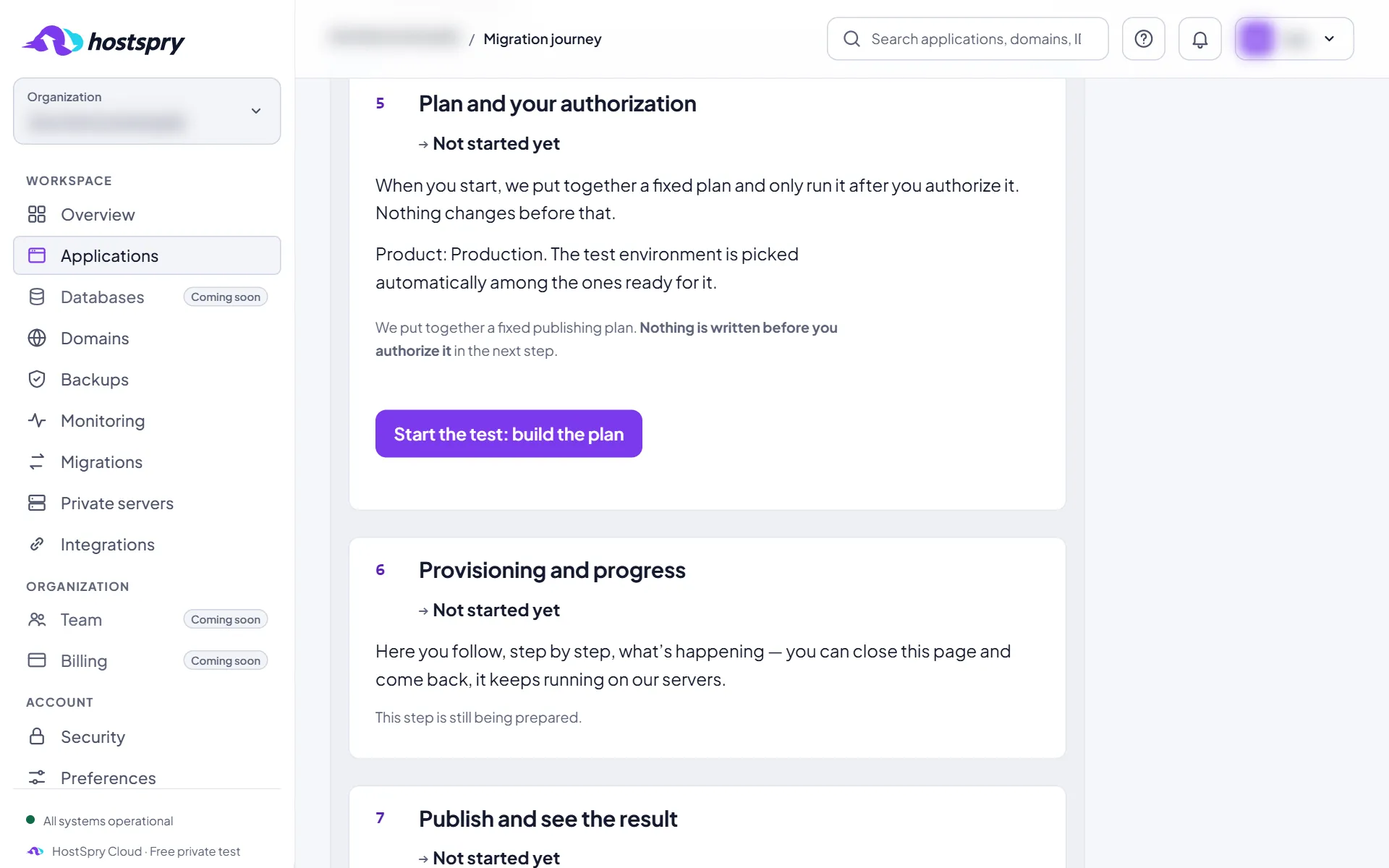
Build the plan
On the Migration tab, click Start the test: build the plan. HostSpry builds the plan of what it will do; nothing is published yet.
Step 2
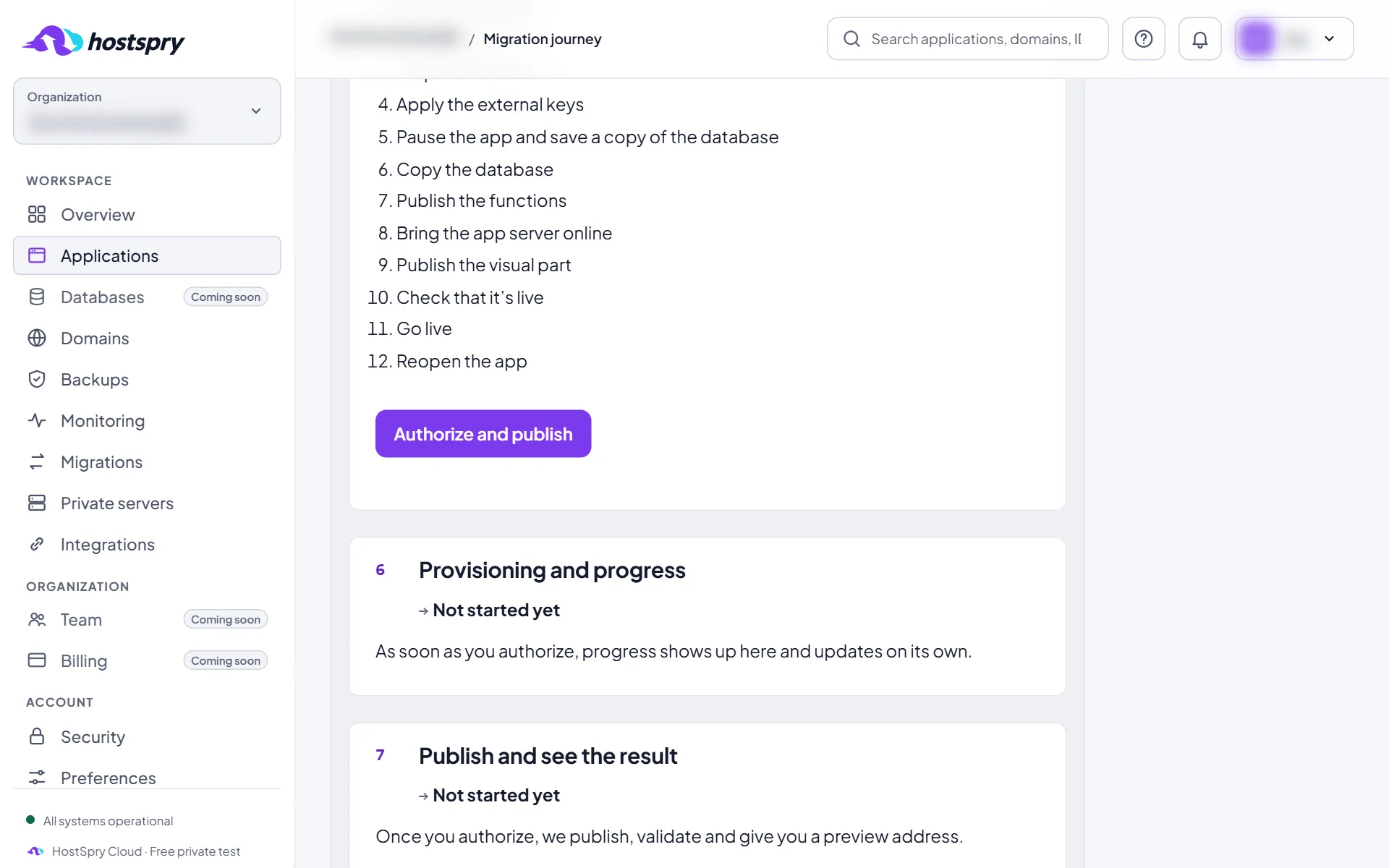
Authorize
Read the plan and click Authorize and publish. Only after that does HostSpry start creating the environment.
Step 3
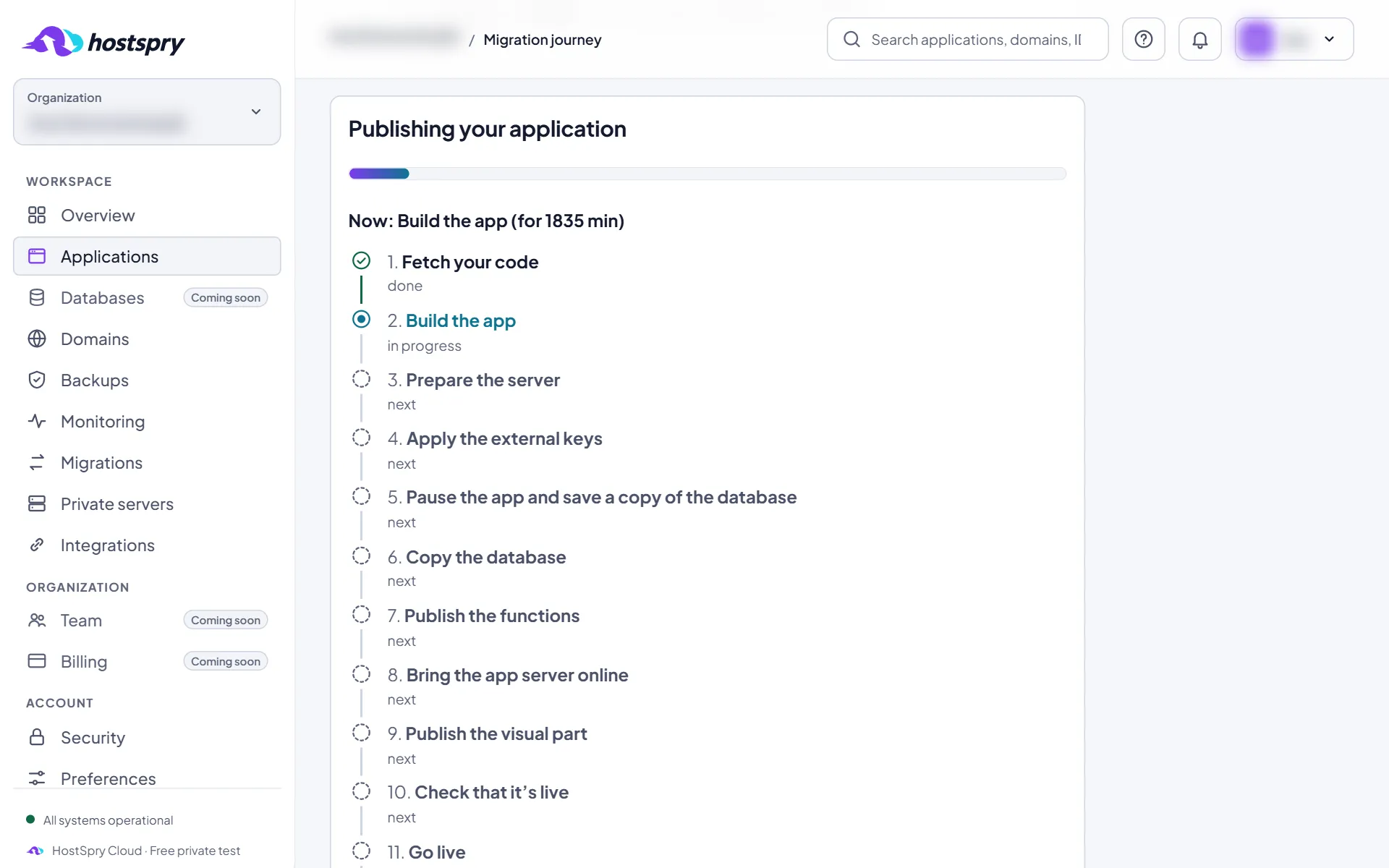
Follow along
Each step shows its real state, from the code to publishing. The page refreshes by itself and you can leave.
Step 4
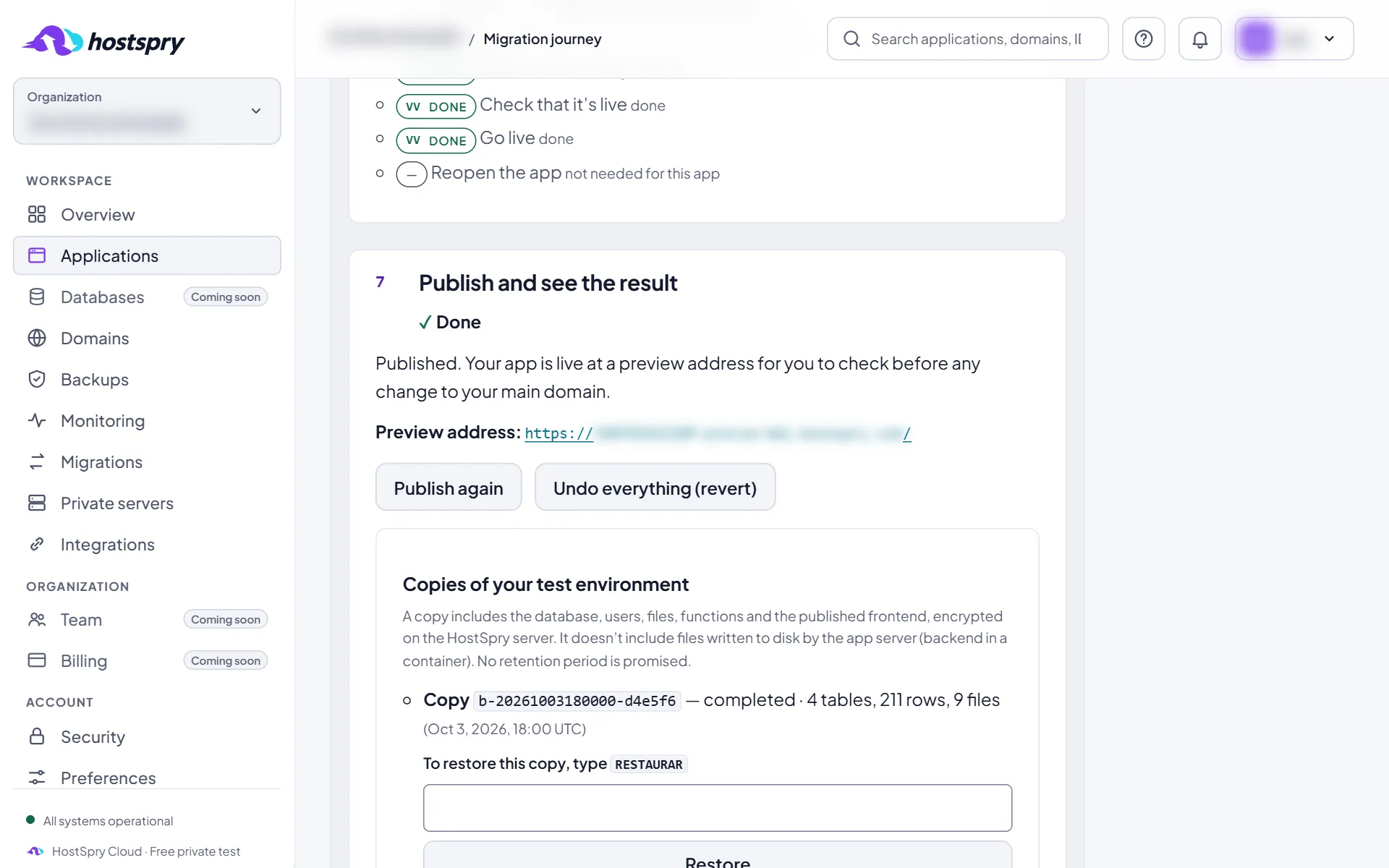
The preview online
At the end, the preview address shows up here. Use Publish again to publish again, or Undo everything (revert) to undo it.
The screens use a demo account; anything that would identify someone is blurred.
Next step
Want to try it with your own app? During the private beta, access is by request.